Getting started
Last updated
New to Back 2 Pit? This page takes you from a fresh Assetto Corsa install to your first lap on one of our servers. It takes about 20 minutes, most of it downloading.
What you need#
- Assetto Corsa on Steam (the original game, not Competizione or EVO).
- Content Manager, the free launcher most of the community uses. It replaces the stock launcher and makes joining servers and installing mods much easier.
- Custom Shaders Patch (CSP), version 0.2.0 or newer. Our race and practice servers need it, because the in-game HUD that counts track limits, contacts and penalties runs on CSP. Without it the server will not let you in.
Installing Content Manager and CSP#
- Download Content Manager from the official site, acstuff.club/app. The free (Lite) version is all you need.
- Unzip it anywhere, run Content Manager.exe and point it at your Assetto Corsa folder when it asks.
- In Content Manager, open Settings, then Custom Shaders Patch, and install the latest version. Make sure the patch is switched on.
If you prefer to watch it done, this video walks through both installs:
Video: Content Manager and Custom Shaders Patch install guide by Play By Ear on YouTube.
Sign in with Steam#
Press Sign in at the top of the site. You sign in through Steam, so there is no new password to remember, and your account is tied to your Steam ID. That is how we match your laps, results and Street Cred to you.
The first time, you pick a username and your country. In Settings you can also set your time zone (the calendar shows times in Malaysia time until you do), write a short bio, and turn on notifications for race reminders.
Not signed up yet but already drove on our servers? Your laps and points are saved against your Steam ID, so they show up on your profile as soon as you sign in.
Find a session on the calendar#
Everything we run is on the calendar. Use the buttons at the top to show only races, practice, Wangan, touge or drift. Red blocks are races. A green dot means a server is live right now.
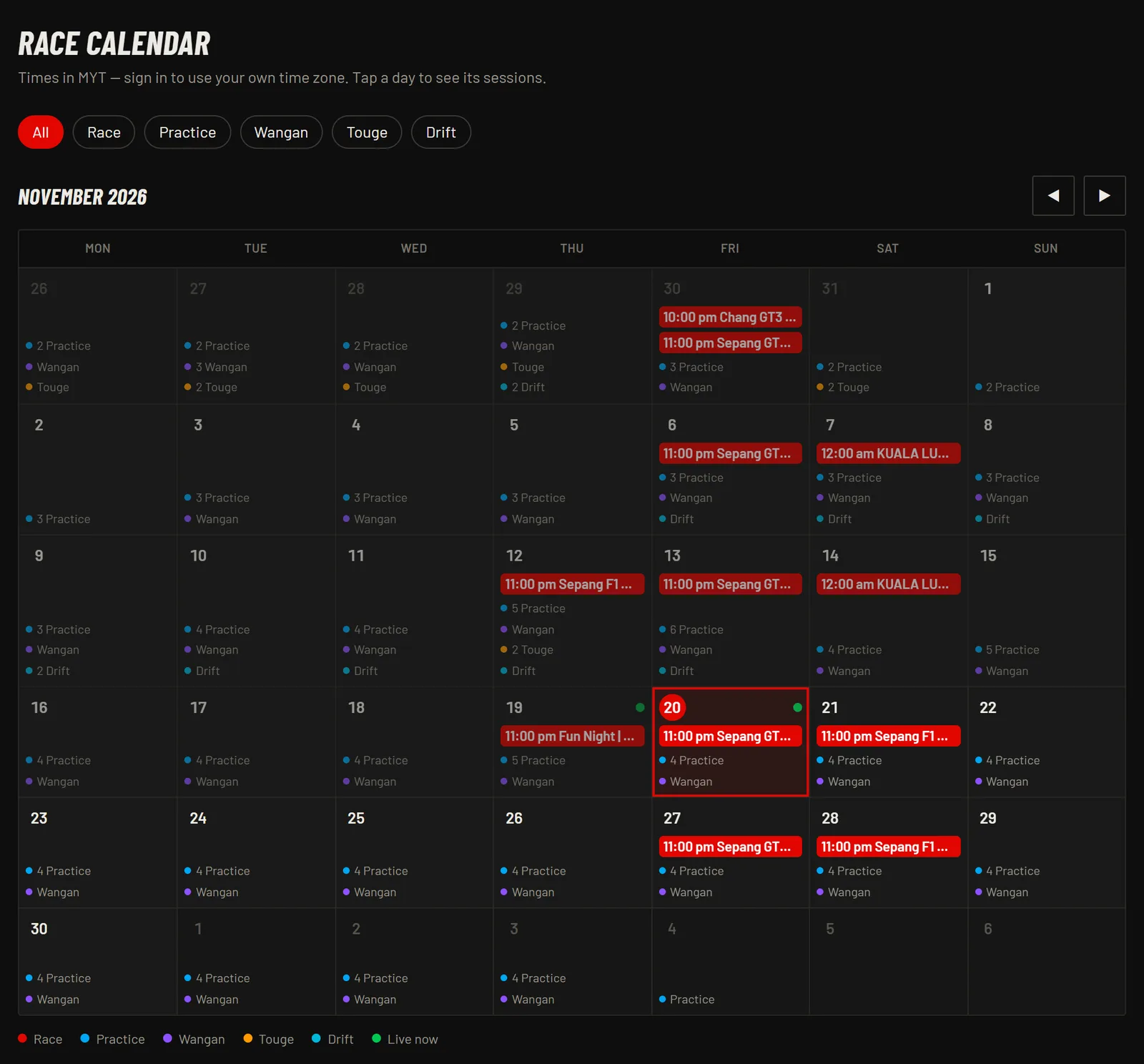
Tap a session to open its page. That page has everything: the format, the cars, the track, the conditions and, when the server is live, the join button.
Join a practice server#
Practice servers are open to everyone, no sign-up needed. When a practice is live, its page shows Live now with the current phase, how long until the server closes and how many drivers are on.
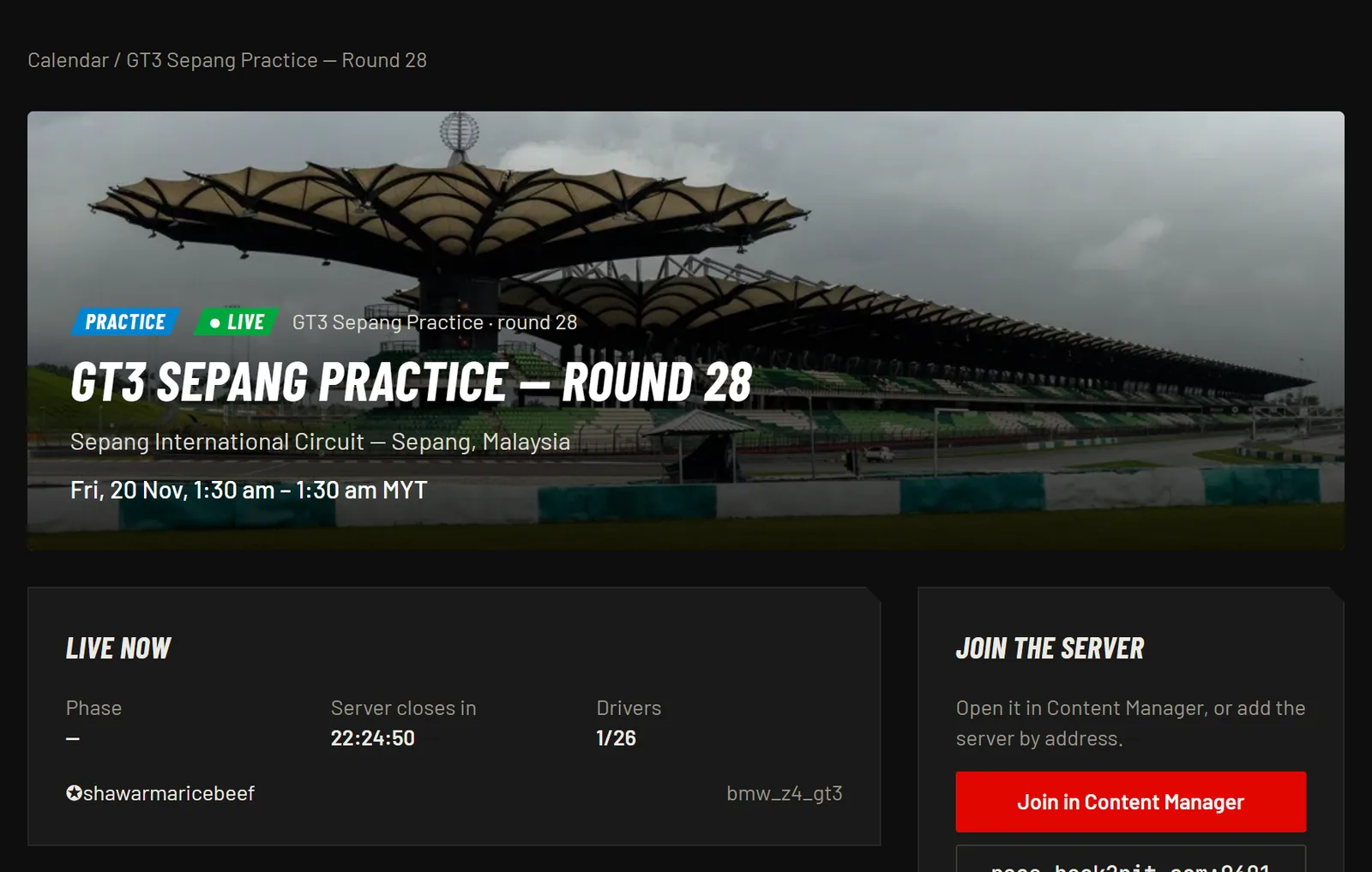
- Press Join in Content Manager. Content Manager opens on the server.
- Pick a car from the list and press Join.
- If you do not have a car or the track, see "Cars and tracks" below.
You can also add the server by hand: copy the address under the button (for example race.back2pit.com:9601) and add it by address in Content Manager's Online tab. All our servers show in the online list with names starting "Back 2 Pit |".
Register for a race#
Races need a sign-up, because the grid is built from the entry list.
- Sign in and open the race from the calendar.
- Press Register and choose your car.
- Come back when the server goes live and press Join in Content Manager, just like practice.
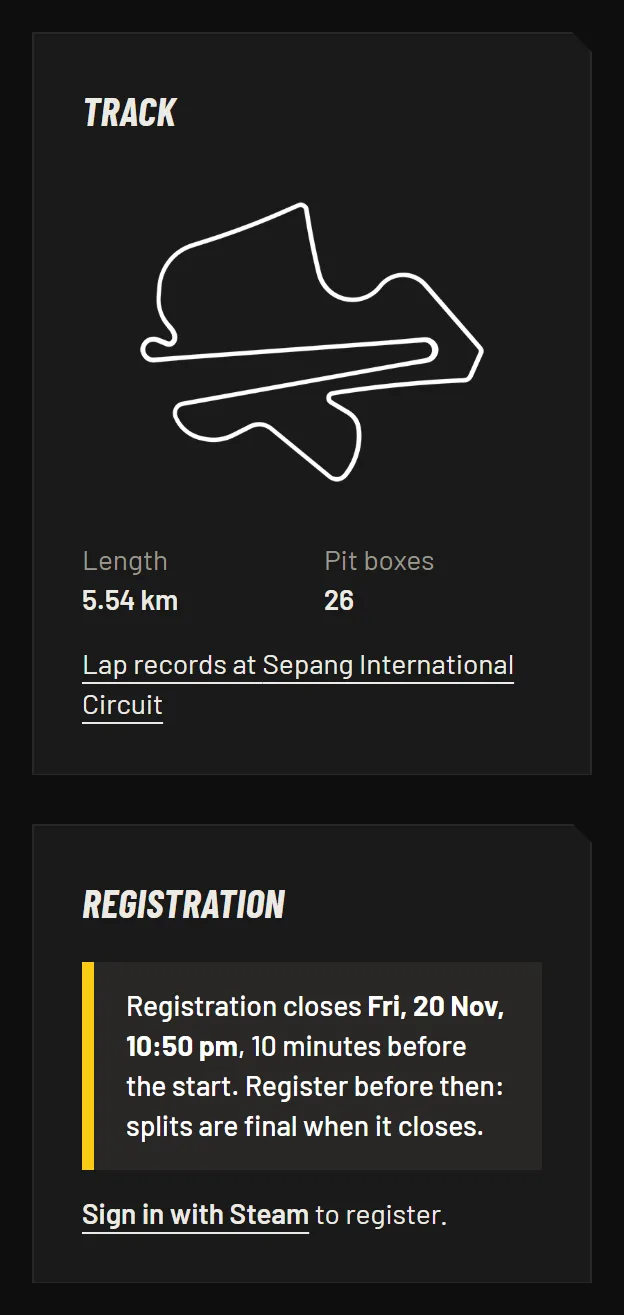
Registration closes 10 minutes before the start. After that the entry list is final and, if more drivers signed up than the grid holds, the race is split into more than one server by rating. Changed your mind? Press Withdraw before it closes so your spot goes to someone else.
Drivers without an account can still race as guests when there are open slots, and they score series points, but only signed-up drivers get a rating. More on that in Series, points and ratings.
Read the session page#
The Format box tells you how the session runs and what the conditions are.
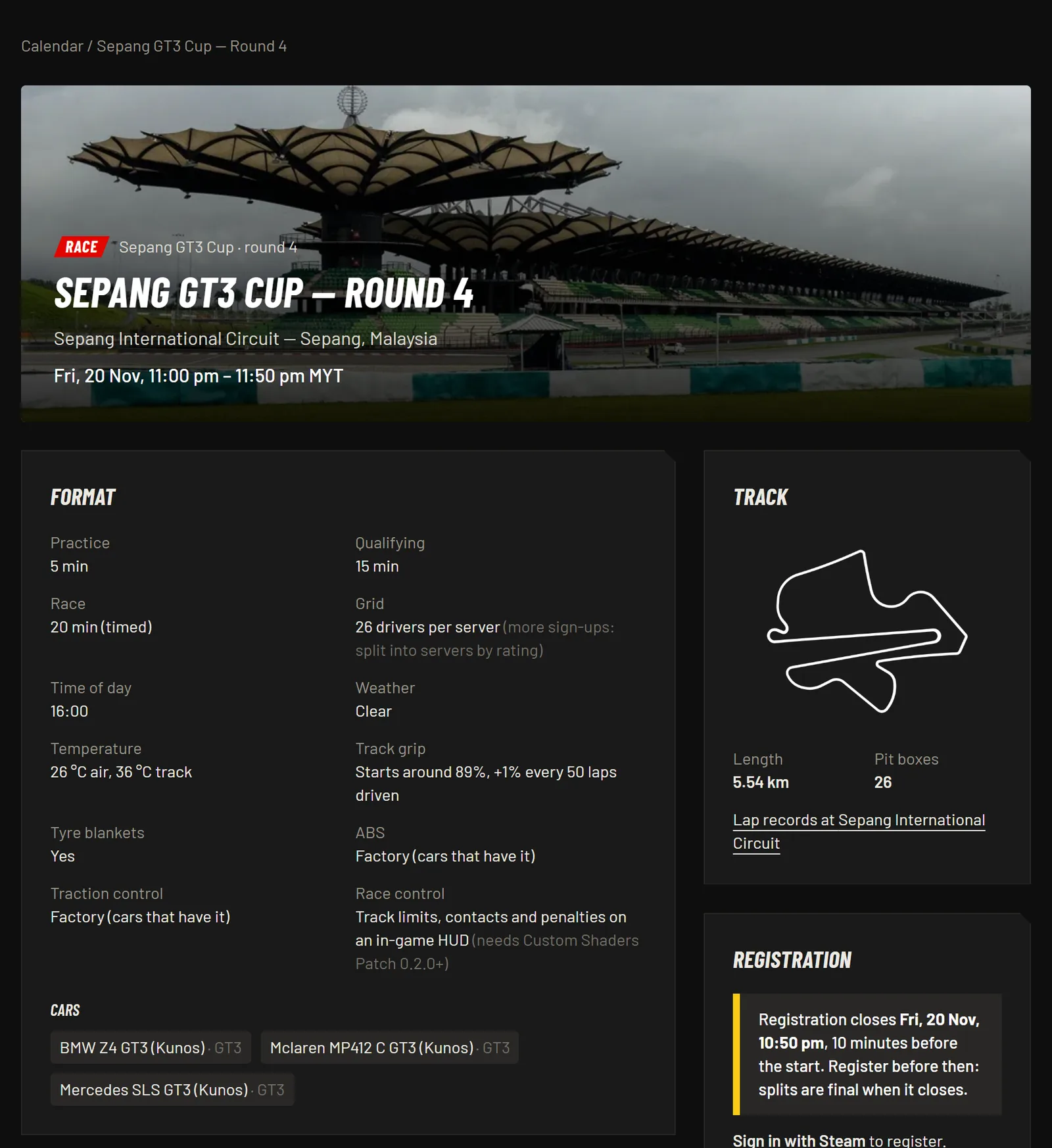
- Practice, Qualifying, Race: how long each part lasts. A timed race runs for the time shown, then one more lap (see the racing guide).
- Grid: how many drivers fit on one server. More sign-ups than that means splits.
- Time of day, Weather, Temperature: set by the server, so everyone drives the same conditions.
- Track grip: see below.
- Tyre blankets: when on, your tyres start warm. When off, take it easy on the first lap.
- ABS, Traction control: "Factory" means you can use them if the real car has them. Some series fix them.
- Race control: the in-game HUD for track limits, contacts and penalties.
- Cars: the cars you can pick, with their class.
Track grip and the dynamic track#
Assetto Corsa simulates rubber building up on the racing line. The more laps everyone drives, the more grip there is.
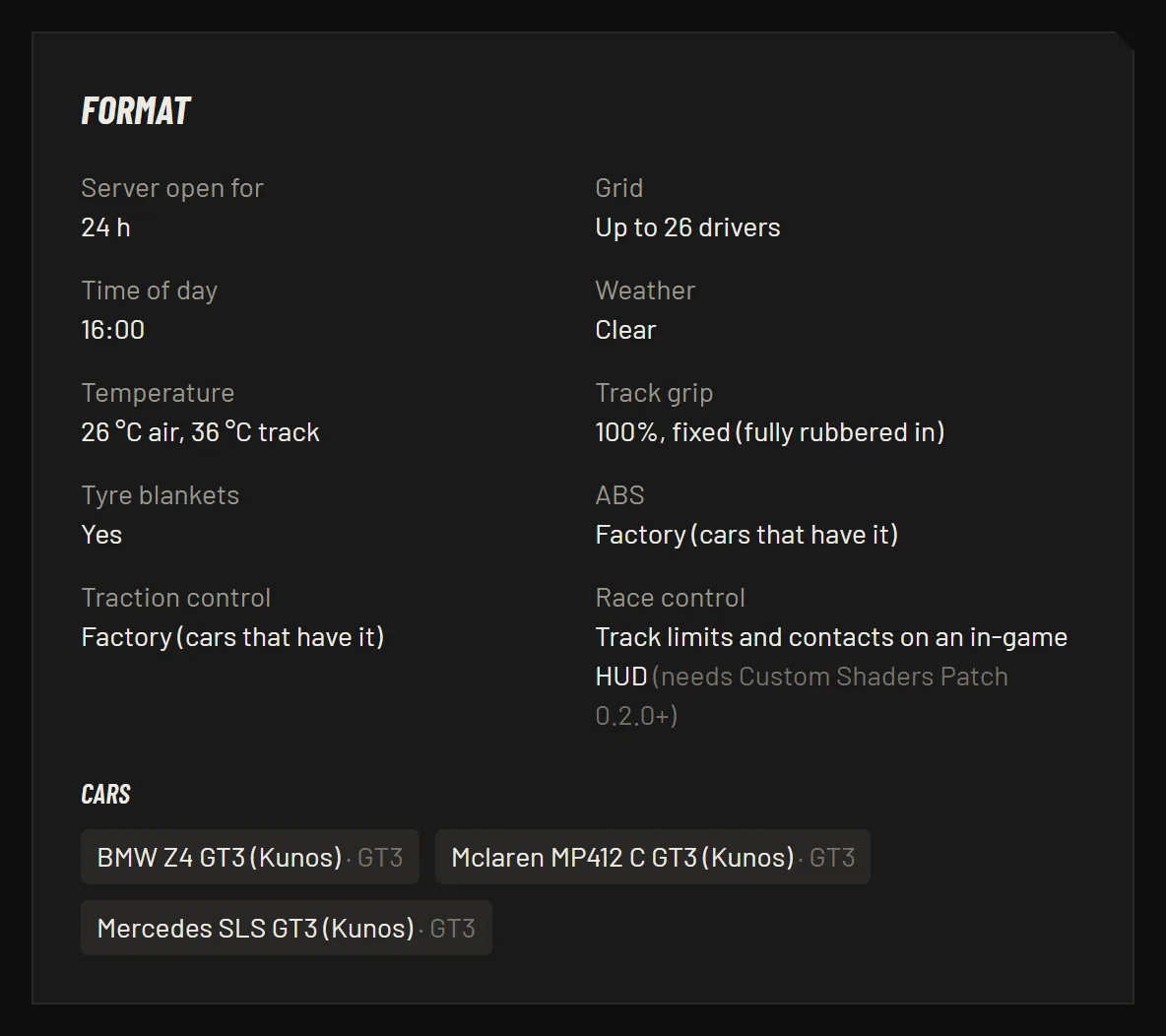
- Practice servers run at a fixed 100% grip with tyre blankets on, so your lap times are always comparable and records are fair.
- Races start around 89% grip (it can vary by a few percent each time) and gain about 1% for every 50 laps driven by the whole field. The track gets faster as the evening goes on, and most of that grip carries over from qualifying into the race.
Cars and tracks#
Cars and tracks made by Kunos come with the game. For mods, the session page lists the download links in its description. Install them through Content Manager: drag the downloaded file onto the Content Manager window and press Install.
Your files must match the server's. If Content Manager says a car or track is missing or different, reinstall it from the link on the session page.
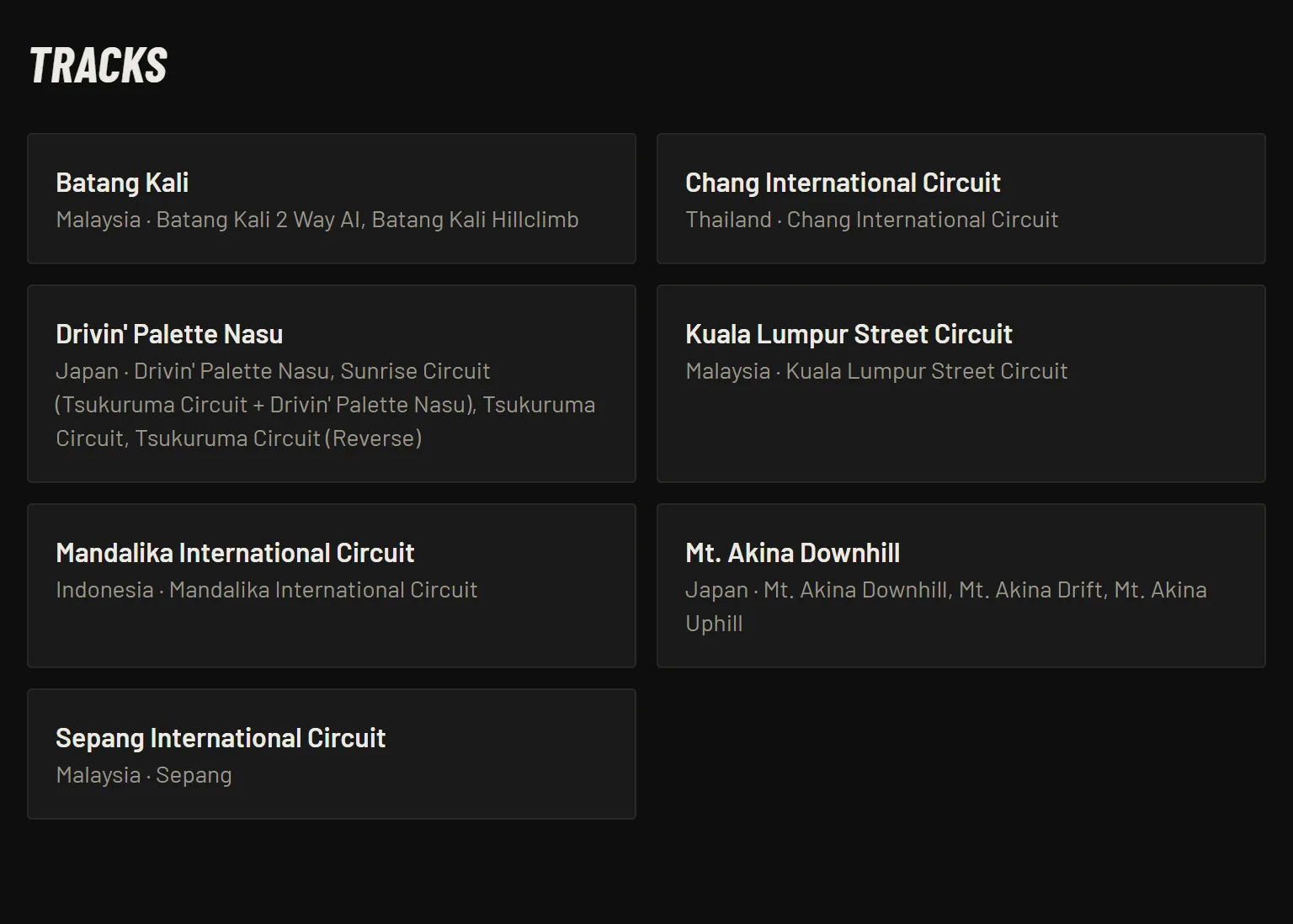
Each track has its own page with the layout, length, pit boxes and lap records.
Your profile#
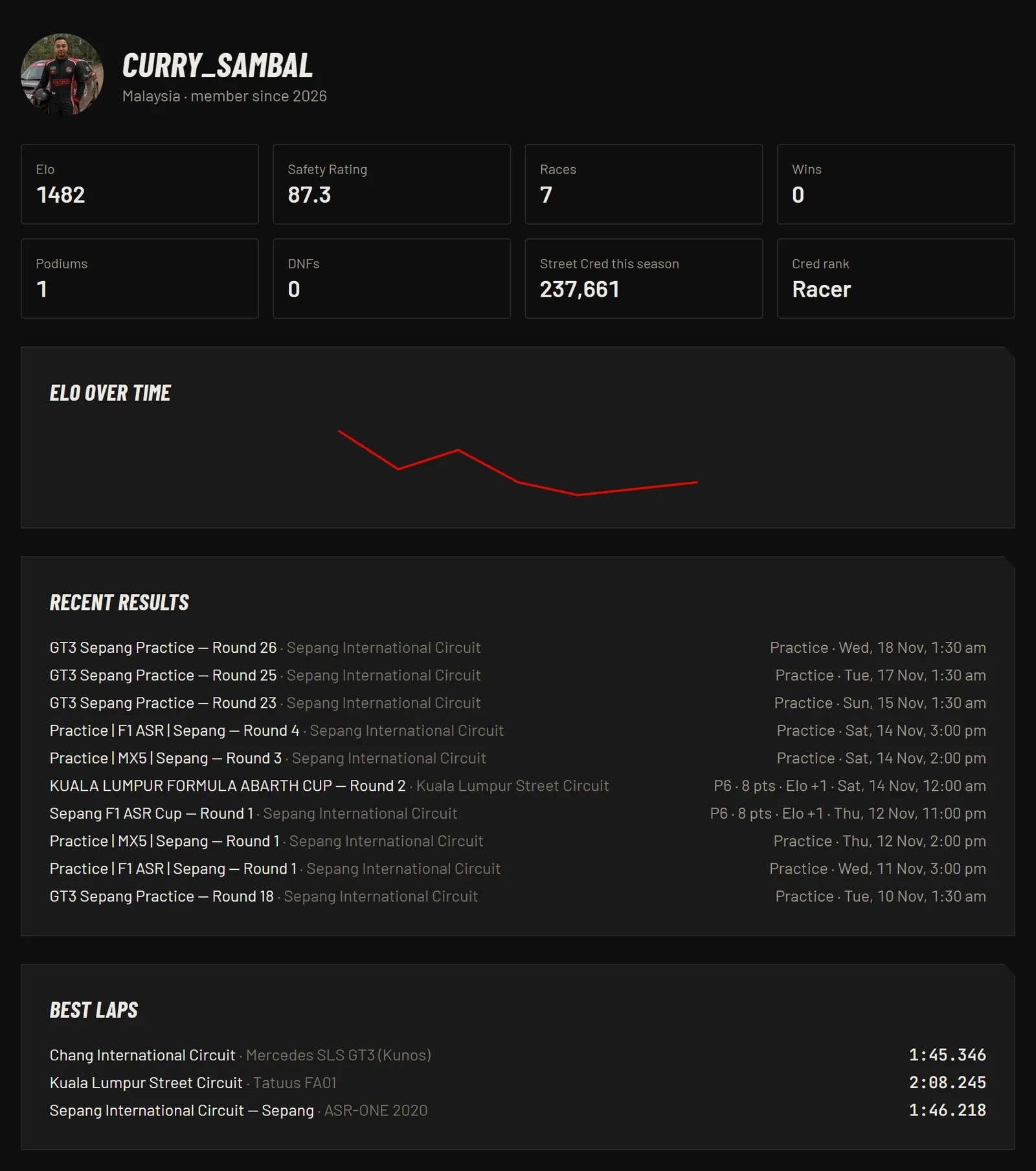
Your public profile shows your rating, Safety Rating, races, podiums, your Elo over time, recent results and your best laps on each track.
Where to next#
- How racing works: track limits, penalties, the final lap and the in-game HUD.
- Series, points and ratings: standings, Elo, Safety Rating and lap records.
- Wangan, touge and drift guides.
- Questions? Ask on our Discord or read the FAQ.